
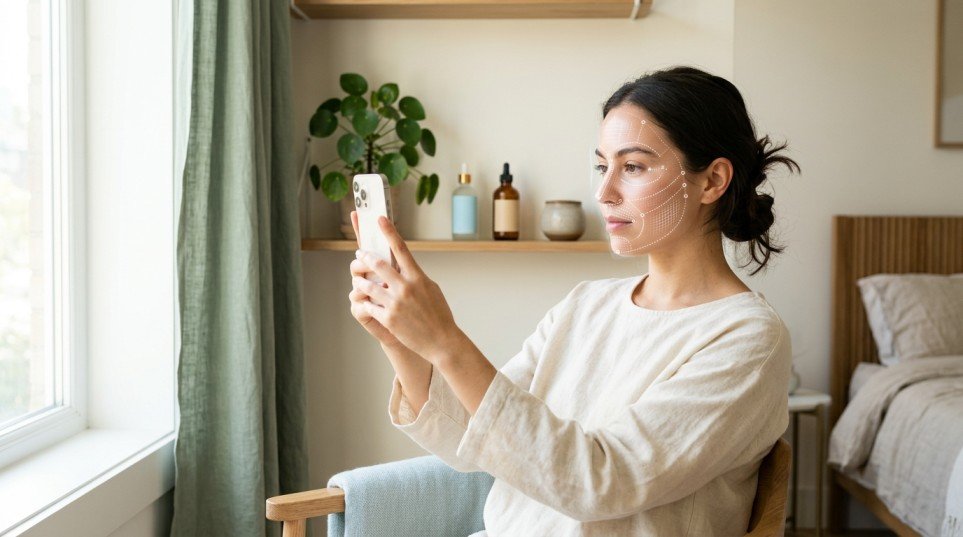
To analyze your skin at home with AI, answer a guided set of questions (or upload a clear photo), let the tool classify your skin type and concerns, then use the results to build a simple routine. AI gives you a good starting point. It doesn’t replace a dermatologist for medical issues.
Most of us have bought a product because it was trending, then wondered why it did nothing or made things worse. The usual reason is that we never knew our skin type in the first place. AI tools can help you figure that out in a few minutes, from your couch. Here’s how, in questions and answers.
What is AI skin analysis?
AI skin analysis is a way of using software to look at information about your skin and sort it into categories such as oily, dry, combination, normal, or sensitive. It also flags common concerns like dehydration, uneven tone, visible pores, or breakouts.
Some tools work from a photo. Others, like a quiz, work from your answers about how your skin feels and behaves through the day. Both approaches try to do what a skincare professional does in a consultation: spot patterns and suggest what to focus on.
How does AI skin analysis actually work?
Photo-based tools compare your image against large sets of reference images to estimate things like texture, redness, and shine. Question-based tools use your answers, such as “How does your face feel two hours after washing?” to match you to a skin profile.
Neither is a medical test. They give you a well-organized guess, which is often enough to stop buying the wrong products.
Do I need a photo, or can I just answer questions?
You can do either, and many people find questions more reliable. Photos are affected by lighting, camera quality, filters, and even the time of day. Questions capture things a camera can’t see, like tightness, stinging, or how your skin reacts to products.
If you want a quick, no-upload option, you can check your skin type with our free skin analysis tool. It’s a short question flow, and you get a personalized result at the end.
How do I get the most accurate results at home?
Small details change the outcome, so prepare first:
- Wash your face and wait. Cleanse with a gentle cleanser, pat dry, and wait 30 to 60 minutes before you test. This shows your skin’s natural state, not product residue.
- Skip makeup and heavy products. Foundation, tinted SPF, and thick creams can hide what’s really going on.
- Use natural light for photos. Face a window. Avoid yellow bulbs and avoid filters.
- Answer honestly. If your T-zone gets oily by noon, say so, even if your cheeks feel dry.
- Test again. Your skin changes with seasons, stress, hormones, and climate, so retest every few months.
What skin types can AI detect?
Most tools sort you into these five groups:
- Oily: Shine appears within a few hours, and pores often look larger.
- Dry: Skin feels tight or flaky, especially after cleansing.
- Combination: An oily T-zone with normal or dry cheeks.
- Normal: Balanced, rarely too oily or too dry.
- Sensitive: Reacts easily with redness, stinging, or itching.
A good tool will also highlight concerns such as dehydration (which can happen on oily skin too), dullness, uneven tone, or acne-prone areas.
What should I do after I get my results?
This is where most people stop, and it’s the part that actually changes your skin. Use your result in three steps:
- Pick your essentials. A gentle cleanser, a moisturizer suited to your skin type, and sunscreen in the morning. Every skin type needs these three.
- Add one targeted product. Choose a single serum for your top concern, for example niacinamide for oil and tone, or hyaluronic acid for dehydration.
- Wait before adding more. Give new products 4 to 6 weeks unless you notice irritation.
If you’d like a guided path through all of this, our Know Your Skin page brings together the skin quiz, ingredient checker, and routine builder in one place.
What is a skincare routine generator, and is it worth using?
A skincare routine generator is a tool that takes your skin type and concerns and suggests a morning and evening routine in the right order. It’s useful for beginners because it removes the guesswork about what goes first and what to skip.
Treat the result as a template, not a prescription. Swap in products you already own if they suit your skin, and drop any step that causes irritation. The best routine is the one you’ll actually follow.
What skincare should I do after makeup?
If you wear makeup, your evening routine needs one extra step at the start:
- Remove makeup with a cleansing balm, oil, or micellar water.
- Cleanse again with a gentle face wash to remove leftover product.
- Apply your treatment serum if you use one.
- Moisturize to support your skin barrier.
Your skin type changes the details. Oily skin does better with a gel cleanser and lightweight moisturizer, while dry skin benefits from a cream cleanser and a richer moisturizer. Sunscreen comes the next morning, whether you wear makeup or not.
How accurate are AI skin analysis tools?
They’re helpful for general guidance, but they have limits:
- Photos can be thrown off by lighting and filters.
- Tools can’t diagnose conditions like eczema, rosacea, or fungal acne.
- Results are an estimate and may shift as your skin changes.
If you have persistent breakouts, painful irritation, changing moles, or anything that worries you, see a dermatologist.
Are there privacy concerns with AI skin tools?
Yes, and they’re worth a minute of your time. Before you upload a photo, check the tool’s privacy policy for how long images are stored and whether they’re shared. Question-based tools that don’t need a photo are the lower-risk option. This matters especially for readers in Europe and Canada, where data protection rules such as GDPR and PIPEDA apply.
How often should I analyze my skin?
Every two to three months is plenty, and also whenever something changes: a new climate, a new medication, pregnancy, a stressful period, or a switch in your routine. Skin that was oily in summer can feel dry in winter, and your products should follow.
AI won’t replace a dermatologist, but it can save you from guessing. Start by learning your skin type, build a short routine around it, and change one thing at a time. When you’re ready, take the free skin analysis and use the results to build a routine that fits your skin.
Frequently Asked Questions
1. Can AI really tell my skin type?
It can give a solid estimate based on your answers or photo, especially for common skin types. For medical concerns, a dermatologist is the right choice.
2. Is AI skin analysis free?
Many tools offer a free basic analysis. Some charge for detailed reports, so read what’s included before you start.
3. Do I need to upload a photo for AI skin analysis?
Not always. Question-based tools work without photos and avoid the lighting and privacy issues that come with uploads.
4. How long does an AI skin analysis take?
Usually 3 to 5 minutes for a question-based tool, and less for a single photo scan.
5. What’s the best time of day to analyze my skin?
Check your skin about an hour after washing it, with no products on, ideally in natural light.
6. Can a skincare routine generator replace a dermatologist?
No. It’s a starting point for everyday skincare. A dermatologist is the right choice for acne scarring, persistent redness, rashes, or skin conditions.
7. How often should I redo my skin analysis?
Every two to three months, or after major changes in season, lifestyle, or products.
8. What should I do if a new product irritates my skin after the analysis?
Stop using it, keep your routine simple with cleanser, moisturizer, and sunscreen, and see a professional if the irritation continues.